C. P. Hoult and Rocket Science and Engineering Technologies
Every calculator on this site starts from the work of Charles P. Hoult, published on his site Rocket Science and Engineering Technologies (RS&T): rocket-engineering memos, many with an Excel workbook that implements the theory, plus papers by his students.
His biography describes a career that ran from the first sounding rockets to their modern descendants:
- In 1958 he joined the Air Force Cambridge Research Laboratory as a newly commissioned lieutenant. He stayed until 1968, doing systems engineering and flight tests of new sounding rockets from Nike-Cajun to the Aerolab Argo D-4.
- He then worked on the Aerobee and Astrobee families at Space General, and on the Aries guided sounding rocket at Space Vector.
- From 1977 to 2007 he was at The Aerospace Corporation and TRW, supporting the Titan launch vehicle and satellite and missile-defence programmes.
- From 2006 he returned to sounding rockets as a mentor, and later adjunct professor, in Mechanical & Aerospace Engineering at California State University, Long Beach.
He took part in launches from White Sands, Fort Churchill, Eglin, Barreira do Inferno in Brazil, Vandenberg, Cape Canaveral and the Mojave desert. He was educated at MIT and UCLA and has written 17 papers on sounding-rocket mission planning, structural loads, trajectory dispersion and post-burnout attitude.
The theory, the methods and the worked examples are his. This site re-implements them, checks every calculator against his workbooks, and cites his memos in each theory page and in the reference library.
Why I built this
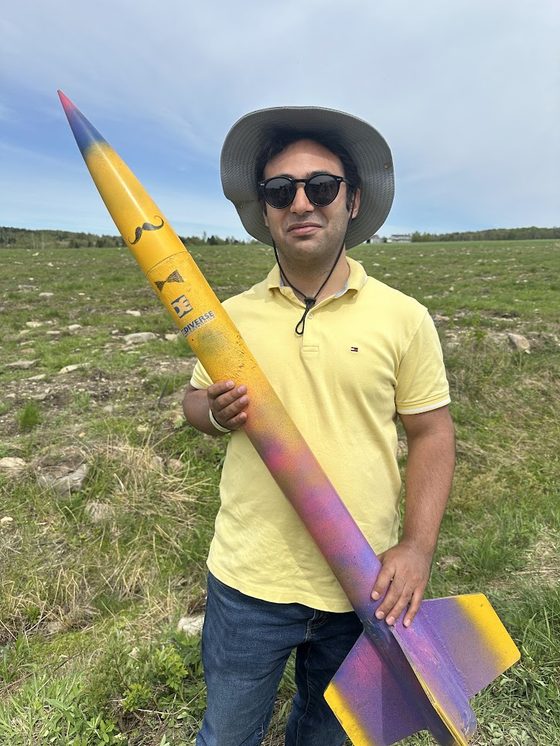
I’m Dara Rahmat Samii, a CFD and machine-learning researcher and an amateur rocketeer.
I found Hoult’s Excel workbooks excellent but steep to learn and use. The physics is all there, but it is spread across cells, colour codes and macros. It is hard to see what an input does, or why a design passes or fails.
So I rebuilt them as a website. Each calculator gives a verdict and tells you what to change. It draws your design to scale, plots how the answer moves with every input, and shows the equations with your numbers in them. The aim is to help other rocketeers do their calculations faster and more easily, and to build their intuition for rocket engineering along the way.
Found a problem?
If a result looks wrong, a page misbehaves, or a calculator is missing something you need, please open an issue on GitHub. These details help:
- the calculator and what you expected to see;
- the Share link from the calculator, which reproduces your exact inputs;
- your browser and device, and a screenshot if it is a display problem.
You can browse existing issues first, in case someone has already reported it.
How to contribute
Contributions are welcome: bug fixes, a better plot, a new check against a published source, or a whole calculator.
- Fork the repository and read
KNOWLEDGE.md. It explains how a calculator is put together, the shared components and the conventions. - Run it locally:
npm run serve, then openhttp://localhost:8000. It is a static site with no build step. - Make your change on a branch. Add or update a test in
tests/, and runnpm test. - Open a pull request that says what you changed, why, and which source you checked it against.
Physics changes need a source: the paper, the equation, and a worked example that the test reproduces.
Support the site
Rocket Calculator is free, has no ads and never will. If it saved you time on a build, you can buy me a coffee — it keeps the calculators coming.
Use with judgement
These are engineering estimates for education and design, not flight-safety certification. Check results against your own judgement and your range’s rules before flying anything.